Workspaces
Shows all current workspaces. Clicking a workspace changes focus to it.

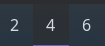
Example
{ end = [ { type = "workspaces" name_map.1 = "" name_map.2 = "" name_map.3 = "" favorites = [ "1" "2" "3" ] all_monitors = false } ]}{ "end": [ { "type": "workspaces", "name_map": { "1": "", "2": "", "3": "" }, "favorites": [ "1", "2", "3" ], "all_monitors": false } ]}end: - type: workspaces name_map: "1": "2": "3": favorites: - "1" - "2" - "3" all_monitors: false[[end]]type = "workspaces"favorites = [ "1", "2", "3" ]all_monitors = false
[end.name_map] 1 = "" 2 = "" 3 = ""Configuration
Type:
workspaces
all_monitors
Section titled “all_monitors”Whether to display workspaces from all monitors. When false, only shows workspaces on the current monitor.
Type: boolean
Default: None
favoritesEnum
Section titled “favoritesEnum”Workspaces which should always be shown. This can either be an array of workspace names, or a map of monitor names to arrays of workspace names.
Default: None
Example
Section titled “Example”// array format{ type = "workspaces" favorites = ["1", "2", "3"]}
// map format{ type = "workspaces" favorites.DP-1 = ["1", "2", "3"] favorites.DP-2 = ["4", "5", "6"]}{ "ERROR": { "message": "Unexpected token: ,", "span": { "startCol": 18, "startRow": 3, "endCol": 19, "endRow": 3 } }}ERROR: message: "Unexpected token: ," span: startCol: 18 startRow: 3 endCol: 19 endRow: 3[ERROR]message = "Unexpected token: ,"
[ERROR.span] startCol = 18 startRow = 3 endCol = 19 endRow = 31object
Section titled “1object”No description provided.
2Array (string)
Section titled “2Array (string)”No description provided.
Type: Array (string)
Default: None
formatEnum
Section titled “formatEnum”The format string for named workspaces.
The following placeholders are supported:
{label}: The display label (fromname_mapor the workspace name).{name}: The actual workspace name.{index}: The workspace index.
Default: None
1string
Section titled “1string”No description provided.
2object
Section titled “2object”No description provided.
Object keys
object.named
Section titled “object.named”No description provided.
Type: string
Default: {label}
object.unnamed
Section titled “object.unnamed”No description provided.
Type: string
Default: {label}
hidden
Section titled “hidden”A list of workspace names to never show.
This may be useful for scratchpad/special workspaces, for example.
Type: Array (string)
Default: []
icon_size
Section titled “icon_size”The size to render icons at (image icons only).
Type: integer
Default: 32
justify
Section titled “justify”The justification (alignment) of the widget text shown on the bar.
Type: 'left' | 'right' | 'center' | 'fill'
Default: 'left'
name_map
Section titled “name_map”Map of actual workspace names to custom names.
Custom names can be images.
If a workspace is not present in the map, it will fall back to using its actual name.
Type: object
Default: {}
orientation
Section titled “orientation”The orientation to display the widget contents. Setting to vertical will rotate text 90 degrees.
Type: 'horizontal' | 'vertical'
Default: 'horizontal'
sortEnum
Section titled “sortEnum”The method used for sorting workspaces.
addedalways appends to the end.labelsorts by displayed value.namesorts by workspace name.
Default: None
1added
Section titled “1added”Shows workspaces in the order they’re added
2label
Section titled “2label”Shows workspaces in the order of their displayed labels,
accounting for any mappings supplied in name_map.
In most cases, this is likely their number.
Workspaces are sorted numerically first, and named workspaces are added to the end in alphabetical order.
Shows workspaces in the order of their real names, as supplied by the compositor. In most cases, this is likely their number.
Workspaces are sorted numerically first, and named workspaces are added to the end in alphabetical order.
4index
Section titled “4index”Shows workspaces in the order of their index within the compositor.
Styling
| Selector | Description |
|---|---|
.workspaces | Workspaces widget box |
.workspaces .item | Workspace button |
.workspaces .item.focused | Workspace button (workspace focused) |
.workspaces .item.visible | Workspace button (workspace visible, including focused) |
.workspaces .item.urgent | Workspace button (workspace contains urgent window) |
.workspaces .item.inactive | Workspace button (favourite, not currently open) |
.workspaces .item .icon | Workspace button icon (any type) |
.workspaces .item .text-icon | Workspace button icon (textual only) |
.workspaces .item .image | Workspace button icon (image only) |
For more information on styling, please see the styling guide.